> ## Documentation Index
> Fetch the complete documentation index at: https://docs.cynopsis.co/llms.txt
> Use this file to discover all available pages before exploring further.
# Transaction Screening Workflow
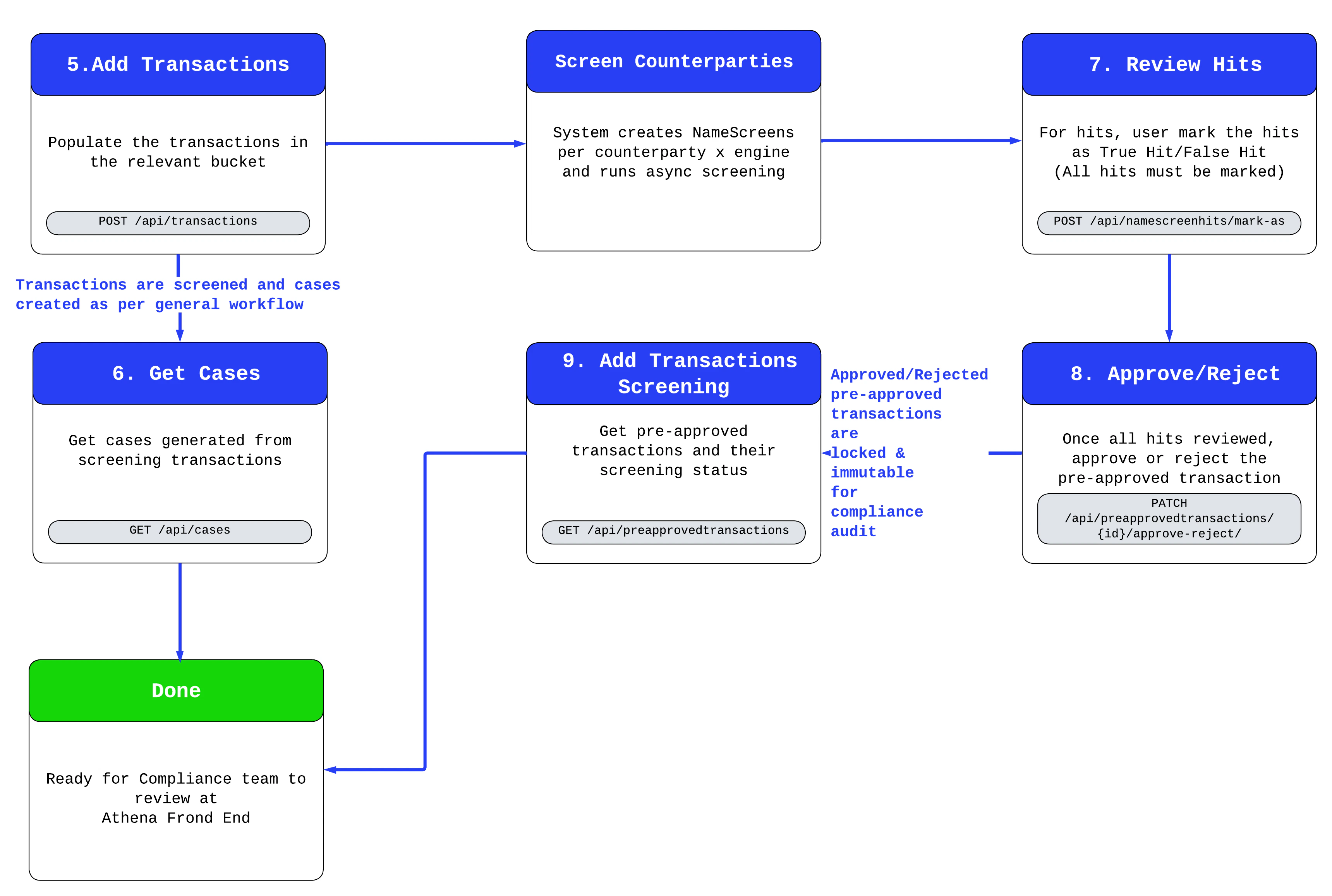
The diagram below demonstrates the transaction screening workflow.
For more details on each section, please refer to the relevant sub-section.
 ### Important Information
**a**. Once a pre-approved transaction has been approved or rejected, it will be immutable.
**b**. You will need to mark all hits in the pre-approved transactions before you are able to approve or reject the transactions.
**c**. Transaction screening has to be enabled to function .
### Important Information
**a**. Once a pre-approved transaction has been approved or rejected, it will be immutable.
**b**. You will need to mark all hits in the pre-approved transactions before you are able to approve or reject the transactions.
**c**. Transaction screening has to be enabled to function .